
You can do good work all month and still lose work next month. That is the part of property preservation most vendors never hear about until it hurts: your clients keep score. Every national firm you work for — Safeguard, MCS, Cyprexx, ServiceLink, Altisource — grades your performance on a vendor scorecard. You rarely see the full card. But it decides how much volume you get, which zones you keep, and whether you stay on the roster at all.
A scorecard is not a mystery. It is a short list of numbers your client already tracks about you: how often you finish on time, how clean your photos are, how often your submissions pass review the first time. Once you know what is being measured, you can manage it. This guide explains what a property preservation vendor scorecard is, what goes into it, what a low score costs you, and the exact habits that push your numbers up.
What a Vendor Scorecard Actually Is
A vendor scorecard is a report card your client keeps on you. Every work order you complete feeds it. Your client looks at the numbers on a regular cycle — monthly for most national firms — and uses them to decide who gets more orders, who gets fewer, and who gets a warning.
Think of it like a credit score for your work. You do not need a perfect score. You need a score that stays above the line your client draws. Fall below it and the phone stops ringing — sometimes without anyone telling you why.
Each client weights things a little differently, and most will not show you their exact formula. But the same three areas show up in nearly every scorecard in this business:
- On time. Did the work — and the paperwork — land by the due date?
- Quality. Did your photos and results pass review without corrections?
- Compliance. Did you follow the client’s process — the right app, the right forms, the right order?
Everything else on the card is a version of one of those three.
The Three Numbers That Matter Most
Safeguard Properties, one of the largest national firms in the business, publishes a scorecard guide for its vendors. It grades performance on three numbers. Other clients use their own versions, but if you understand these three, you understand most scorecards you will ever meet.
1. On-Time Percentage
This is the simplest number on the card — and the one vendors lose the most points on.
Your on-time percentage is the number of orders you submitted on time, divided by the total number of orders you submitted. There is a second cut to it: “completed on time” asks whether you submitted the order the same day you inspected or worked the property. Sitting on a finished order for two days and then submitting it late still counts against you, even if the work itself was done on schedule.
What this means in plain terms: the clock that matters is the submission clock, not the work clock. A job finished Tuesday and submitted Friday is a late order. If your crew finishes in the field but the office does not submit until the next morning, that delay lands on your scorecard too.
What good looks like: most clients want on-time percentages in the high 90s. Treat every order as due the day you worked it. Submit the same day, every time, and this number takes care of itself.
2. Mobile Usage Percentage
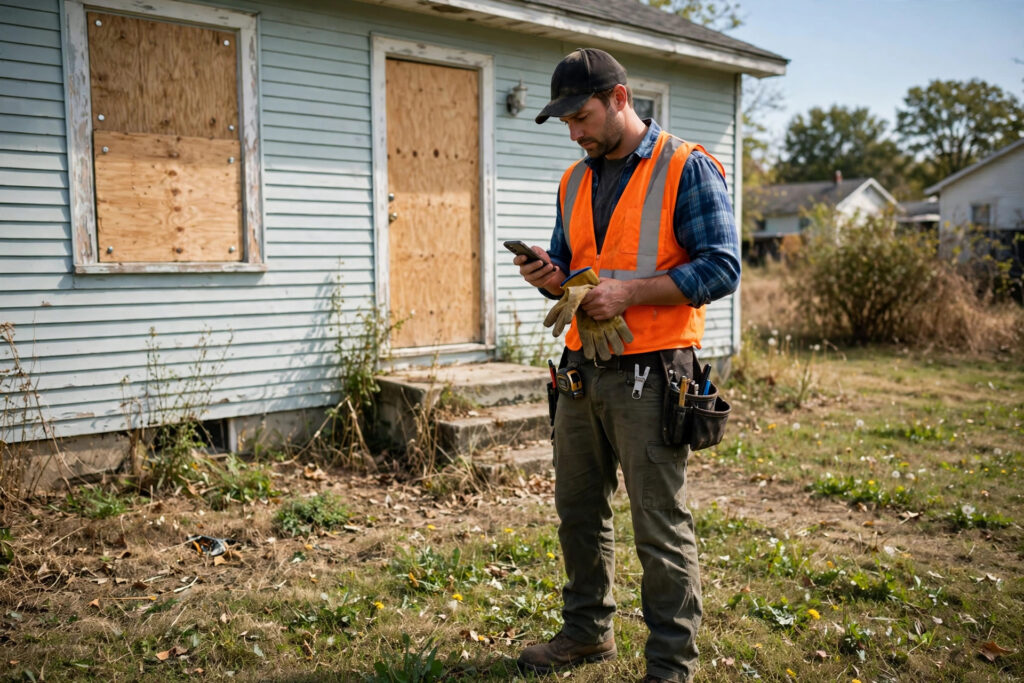
Your mobile percentage is the share of your orders submitted through the client’s mobile app, divided by your total completed orders for the month. Safeguard, for example, expects vendors to hit a required mobile percentage to stay “mobile compliant” — in one published example, that bar was 96%.
Why would a client care how you submit? Because photos taken and submitted through the mobile app carry a timestamp and a location stamp. That stamp is the client’s proof the photo was taken at the property, at the stated time, and not pulled from somewhere else. A desktop upload cannot prove that in the same way. When you submit from a computer, the client loses that proof — so they score you for it.
What good looks like: submit from the app, at the property, on every order. If your crew uses a phone for photos but the office re-uploads from a desktop later, that order may not count as mobile. Keep the whole submission in the app. For a refresher on doing this cleanly in Pruvan, see our guide to Pruvan work orders.
3. Quality (SQA) Percentage
SQA stands for Supplier Quality Assurance. This is the quality grade, and it is the one with the sharpest teeth.
Your client picks a random sample of your orders and reviews them in detail: occupancy calls, results, photos, and fraud checks. Each category is weighted, and your SQA percentage is the weighted score across the sample. On Safeguard’s card, 95% is the minimum passing score. Below that, you fail the review.
Two rules in the SQA review catch vendors off guard:
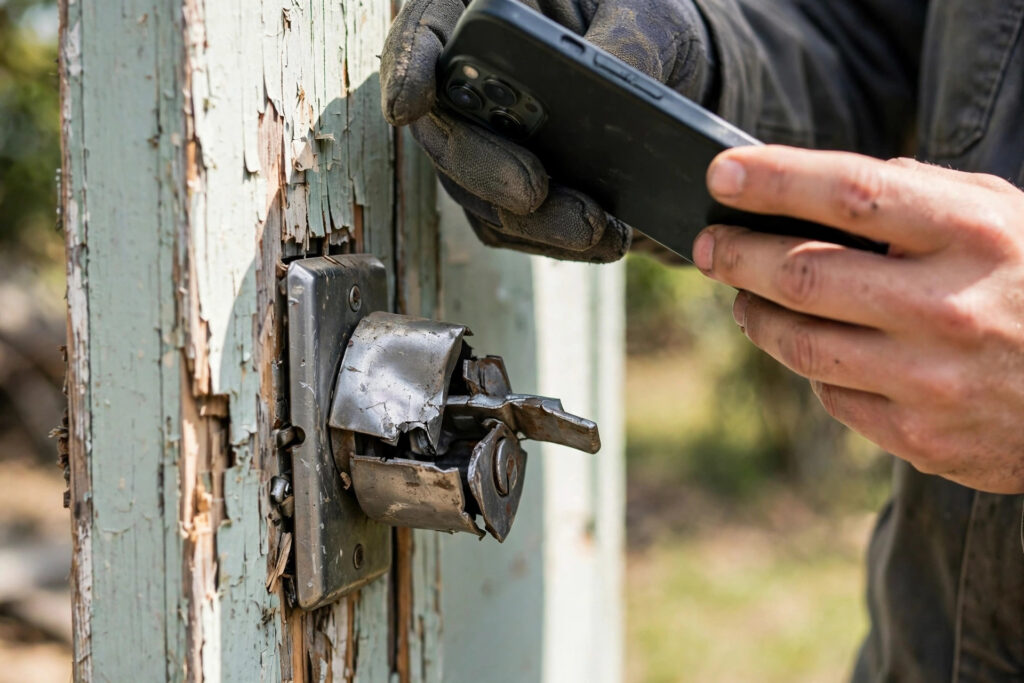
- Photos taken from the car are an automatic fail for that order. If the reviewer can tell a photo was shot through a windshield or from the driver’s seat, the order fails outright — no partial credit.
- Reused or fake photos are an automatic fail for the entire review. If the sample turns up a photo reused from another order or another property, the whole SQA review fails, and the client can take further action. This is not a paperwork problem. It is a trust problem, and clients treat it as one.
A failed SQA review puts you on probation. You stay on probation until you post a passing score and meet whatever terms the client sets. While you are on probation, your volume can shrink — and your SQA score also feeds into your client’s monthly zone evaluations, which decide who keeps which territories. A bad quality month can cost you a zone you spent a year building.
What Else Gets Scored
The big three are the core, but most clients also watch a few more things. They rarely carry the same weight as on-time and quality, but they add up:
- Bid accuracy. How close are your bids to the actual cost? Bids that are always high, always low, or always need correcting tell the client your numbers cannot be trusted. Keep bids honest and itemised, and attach a photo to every bid line.
- Communication. Did you flag problems early? Did you answer when the client asked a question? A vendor who reports a locked gate or a hazard the same day is easier to work with than one the client has to chase. Silence reads as a problem.
- Billing accuracy. Were your invoices right the first time? Wrong amounts, missing items, and duplicate charges slow down payment and cost you credibility. Our guide on how to fix billing errors as a property preservation vendor covers the most common ones.
- Rework rate. How often does your work come back? A job done twice costs the client twice — and usually means the first visit missed something, most often a photo that did not show the full problem.
What a Low Score Actually Costs You
A scorecard is not a gold star chart. It has real consequences, and they land in this order:
- Less volume. Clients route orders to their best-scoring vendors first. A slipping score means the easy, nearby orders go to someone else and you get what is left — or nothing.
- Worse zones. Scores feed zone evaluations. Lose a zone and you lose the route density that makes the work pay.
- Probation. Fail a quality review and you are on probation until you pass again and meet the client’s terms. Probation usually comes with reduced volume.
- Removal. Scores that stay low, or a fraud finding, can end the relationship. Rebuilding a roster spot with a national client is far harder than keeping the one you have.
None of this usually comes with a warning call. The first sign is often just fewer orders in the queue. By the time you notice, the score has been slipping for weeks. That is why tracking your own numbers matters — more on that below.
How to Raise Your On-Time Percentage
This is the easiest score to fix, because it is almost entirely about process, not skill.
- Submit the same day you work the property. Make it a rule, not a goal. The order is not done until it is submitted.
- Never let the office be the bottleneck. If the crew finishes in the field and the paperwork waits for someone at a desk, the delay is yours. Submit from the app in the field whenever the client allows it.
- Refresh before you start the day. Scope changes, cancellations, and due-date moves arrive overnight. Working from yesterday’s list is how a vendor completes a cancelled order — or misses a moved-up deadline. Check for updates before the first drive.
- Flag problems the same day. A locked gate, a hazard, a property you cannot access — report it the day you find it, not the day the order goes late. Most clients would rather hear about a problem early than get a late submission with an excuse attached.
- Watch the queue every morning. Know what is due today, what is due tomorrow, and what is already at risk. A five-minute morning check beats a Friday scramble.
How to Raise Your Quality (SQA) Score
Quality is where most vendors lose points they did not need to lose. The fixes are small, and they are all habits.
- Get out of the truck for every photo. This is the single most avoidable fail on the card. Walk the property. Take the photo standing where the work is.
- Take the wide shot first, then the detail. A close-up of a broken lock means nothing without a wide shot that shows which door it belongs to. Reviewers need context before detail. Cover every affected area — the borderline spots, not just the worst one.
- Check every photo before you submit. Blurry, dark, sideways, or out of order — if you would not accept it from someone else, do not send it. Retake it while you are still at the property. A retake takes thirty seconds. A return trip takes an hour.
- Never reuse a photo. Not from last month, not from the house next door, not “because nothing changed.” A reused photo is a fraud flag, and a fraud flag can fail your whole review.
- Label what the photo shows. When the app lets you flag a photo to a bid or completion line, use it. A photo tied to a line item answers the reviewer’s question before they ask it. Unlabelled galleries invite corrections.
- Review your own work before the client does. Have one person — even if that person is you, at the end of the day — look at every submission once more before it goes out. Fresh eyes catch the sideways photo and the missing before-shot that tired eyes miss. For the photo standards that keep orders moving, see our guide on documenting common property damages.
How to Stay Mobile Compliant
Mobile compliance sounds technical. It is not. It means: do the work in the app, on the phone, at the property.
- Submit from the app, not the desktop. If your office re-uploads photos from a computer, those orders may not count as mobile. Keep the submission in the app from start to finish.
- Check the app’s upload settings. If the app is set to “Wi-Fi only” or “charging only,” photos sit on the phone until those conditions are met. On a rural route, that can mean a late submission. Let the app upload on cell service unless you have a reason not to.
- Keep a charger in the truck. The app drains a battery fast, and a dead phone at the last property of the day is a late order. A vehicle charger is cheap insurance for your score.
- Do not fight the app. If a button is missing or a field will not open, ask your provider before working around it. Workarounds — screenshots, emailed photos, desktop uploads — are usually what break compliance.
A Weekly 15-Minute Scorecard Routine
You cannot fix a number you never look at. Most clients will show you at least part of your scorecard if you ask — a monthly report, a portal dashboard, or a vendor manager who will walk you through it. Use it. And keep your own numbers in between, so there are no surprises.
Once a week, spend fifteen minutes on this:
- Count your late submissions. How many orders went in after the due date this week? If the answer is more than one or two, find out why before next week.
- Count your corrections. How many orders came back with a question or a required fix? Group them: was it photos, bids, or missing information? Fix the biggest group first.
- Check your photo rejects. If a reviewer flagged a photo, look at it yourself. Blurry? Wrong angle? Missing the wide shot? The pattern tells you what to coach the crew on.
- Check your open queue. Anything due in the next two days that nobody has started? That is next week’s late submission unless someone moves on it now.
- Ask your vendor manager one question. “Is there anything on my scorecard I should be working on?” Most vendor managers will tell you. The vendors who ask are the ones who improve.
Write the numbers down — a notebook, a spreadsheet, anything. A vendor who knows their own on-time percentage and correction rate can have an honest conversation with a client. A vendor who does not know is guessing.
Five Mistakes That Tank a Score Fast
Some mistakes cost a point or two. These five can cost you a review, a zone, or a roster spot.
- Submitting late because the office was busy. The client does not care why it was late. Same-day submission is the rule that prevents this entirely.
- Photos from the car. An automatic fail for the order. Walk the property, every time.
- Reusing a photo. An automatic fail for the whole quality review, and a trust problem that is hard to undo.
- Bidding without a photo on the line. A bid line with no evidence behind it is the most common and most expensive documentation failure in the business. It also drags your bid-accuracy score down. For the submission side of this, see our guide on improving your PPW submission acceptance rate.
- Ignoring a correction and repeating it. A client who corrects the same mistake three times stops correcting and starts scoring. Read every correction, fix the habit behind it, and do not make the same one twice.
AI Is Reading Your Photos Now
One more thing is changing the scorecard, and it is worth knowing about. National firms have started running AI checks over inspection photos — a review that used to take hours can now take minutes. A missing, blurry, or out-of-order photo gets flagged instantly, and the flag lands on your scorecard. The scorecard decides who gets the next job.
This does not change what you need to do. It makes the basics matter more. Clear, in-order, well-lit photos — taken at the property, labelled to the work — pass a machine review the same way they pass a human one. The vendors who will feel this change are the ones who were already cutting corners on photos. If your photos are clean, AI review works in your favour: fewer human delays, faster approvals.
How AssetSure Helps Your Scorecard
Here is the honest part: most scorecard problems are not field problems. They are office problems. The crew does the work; the paperwork comes back late, the photos are out of order, the bid lines are missing evidence, and the score drops — even though the work itself was fine.
That is the part AssetSure takes off your plate. Our team processes work orders for property preservation vendors — the full back-office job: checking orders in, preparing bids and completions, organising photos, and submitting clean, complete orders on time. We have been doing it since 2013, across more than 67,200 work orders, with 99.8% QC compliance and turnaround under an hour, 24/7. Every order gets a quality check before it goes out, so the sideways photo and the missing before-shot get caught by us, not by your client’s reviewer.
There is no contract and no monthly minimum. You pay per task, and you use us when you need us — for overflow, for the busy season, or for the whole back office. If your scorecard is slipping because the paperwork cannot keep up with the field, that is exactly the gap we fill. See what we do at our work order processing service or look at our services.
Frequently Asked Questions
What is a property preservation vendor scorecard?
A vendor scorecard is a report card your client keeps on your performance. It tracks numbers like your on-time percentage, your mobile app usage, and your quality (SQA) score, usually on a monthly cycle. Clients use it to decide how much work you get, which zones you keep, and whether you stay on the roster.
What is a good vendor scorecard score?
It depends on the client, but the bars are high. On Safeguard’s scorecard, 95% is the minimum passing score for quality (SQA). On-time and mobile usage percentages are generally expected in the high 90s as well. If you are scoring below 95% on quality, treat that as urgent.
What happens if I fail a vendor scorecard review?
A failed quality review usually puts you on probation. You stay there until you post a passing score and meet the client’s terms. Probation normally means less volume, and your score also feeds into monthly zone evaluations, so a bad month can cost you territory. Scores that stay low — or any fraud finding — can end the relationship.
How can I check my own vendor scorecard?
Ask your vendor manager or check your client’s vendor portal. Most national firms will show you at least part of your score, and a vendor manager will usually tell you what to work on if you ask. Between official reports, track your own numbers weekly: late submissions, corrections, and photo rejects.
Do all property preservation clients use scorecards?
Most national firms and large regionals do, even if they call it something else — a report card, a performance review, a vendor rating. The names change; the measured things do not: on time, clean photos, and following the process. Small local clients may grade you informally, but they notice the same things.
Your scorecard is not a mystery and it is not out of your control. It is three numbers — on time, mobile, quality — plus the habits behind them. Submit the same day. Take the photos on foot, in order, with the wide shot first. Keep the work in the app. Check your own numbers every week and ask your vendor manager what to improve.
Do those things for a month and the score moves. Keep doing them and the volume follows — because the vendors who get the next job are the ones whose numbers say they can be trusted with it.